Bluesky API for AT Protocol posting
Bluesky is not OAuth — it is a session against an AT Protocol server. PostMCP refreshes that session, uploads image blobs and writes the feed record for you.
- Endpoint
- POST /api/tools/create_post
- Platform value
- "bluesky"
- Auth
- x-api-key or Bearer token
- Upstream
- AT Protocol XRPC
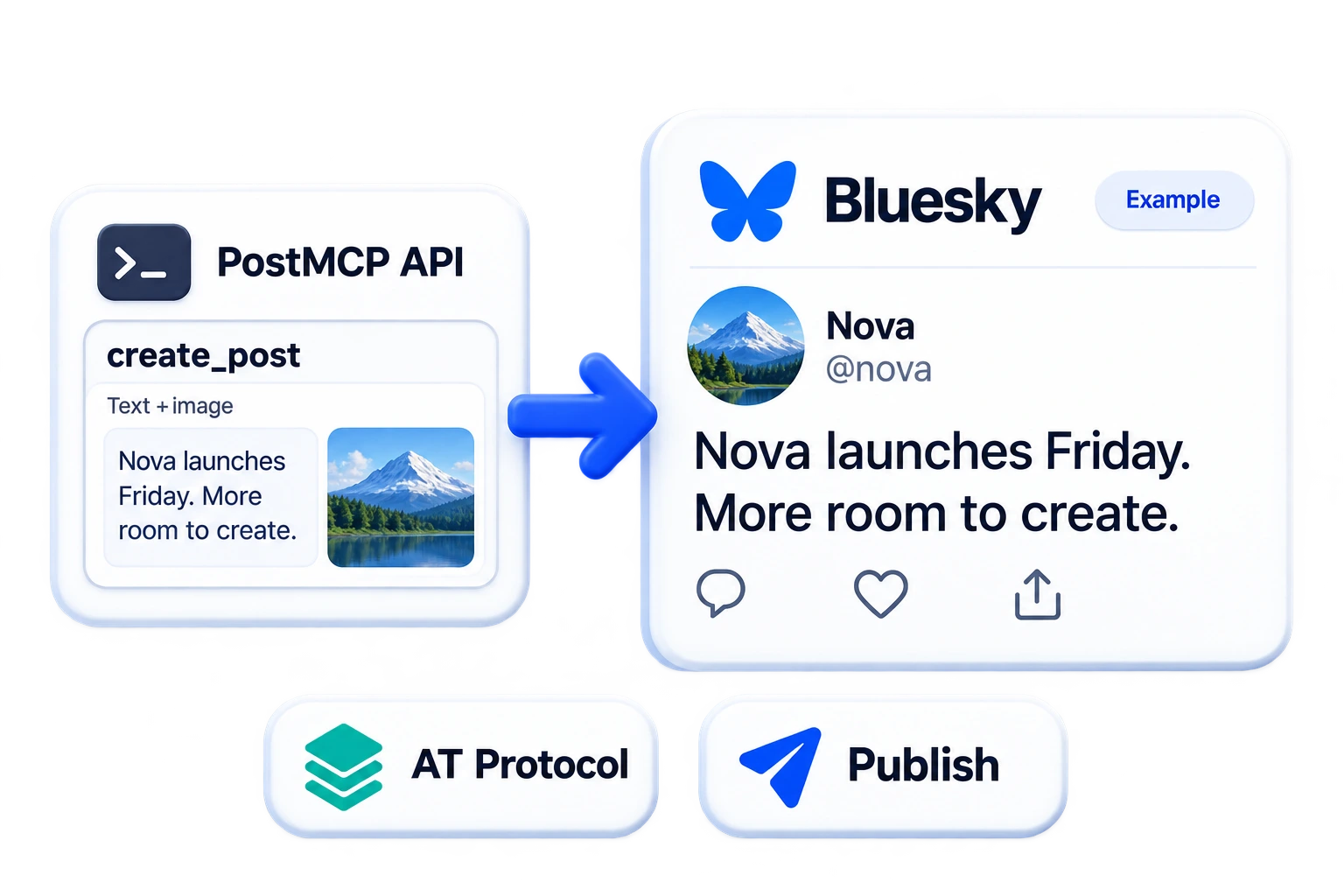
What the Bluesky API gives you
Posting to Bluesky means speaking AT Protocol XRPC directly: create a session with an identifier and app password, upload any image as a blob, then write a record into the app.bsky.feed.post collection with the blob embedded. There is no OAuth screen and no managed media pipeline.
PostMCP wraps all three calls. It refreshes the session before every broadcast so stale JWTs never block a post, uploads media as a typed blob, and builds the app.bsky.embed.images embed. Because the server URL is per-account, self-hosted PDS instances work exactly like bsky.social.
Text posts
A record is written into app.bsky.feed.post with your text and an ISO createdAt.
Image posts
Media is fetched, uploaded through uploadBlob with the right MIME type and embedded as app.bsky.embed.images.
Session refresh on every send
The engine calls createSession with the stored credential before posting, so expired access JWTs never cause a failure.
Custom PDS support
Each connected account carries its own serverUrl, so self-hosted AT Protocol servers publish the same way as bsky.social.
Alt text by default
The post text is reused as image alt text when none is supplied, keeping posts accessible.
Scheduled publication
Queue by date and time alongside every other connected network.
Common uses
- Bridge an X account to Bluesky with a single cross-post call.
- Publish to a self-hosted PDS from the same automation as your other networks.
- Let an agent post release notes trimmed to 300 graphemes.
- Schedule a Bluesky presence without keeping a session alive yourself.
Post to Bluesky in three steps
Connect the account once, grab an API key, then send a single request. The same body works from a shell, a server, or an AI agent.
- 1
Connect your Bluesky account
Open the dashboard, choose Bluesky and complete the hosted connect flow. Credentials are encrypted into the user vault and never returned to your client.
- 2
Create an API key
Generate a key from the dashboard. Send it as
x-api-key, as anAuthorization: Bearerheader, or as anapikeyquery parameter on the MCP transport. - 3
Send your first post
POST to
/api/tools/create_postwithplatforms: ["bluesky"]. SetpublishImmediatelyto broadcast now, or supplyscheduleDateandscheduleTimeto queue it.
curl -X POST "https://api.postmcpai.com/api/tools/create_post" \
  -H "Content-Type: application/json" \
  -H "x-api-key: $POSTMCPAI_API_KEY" \
-d '{"content":"Shipping something new today. Built with PostMCP AI.","platforms":["bluesky"],"publishImmediately":true}'{
"success": true,
"message": "Post created and queued successfully",
"post": {
"id": "66a50c89e4b019a2b72f",
"content": "Shipping something new today. Built with PostMCP AI.",
"platforms": [
"bluesky"
],
"status": "published"
}
}Bluesky API endpoints
Every endpoint is a POST against the base URL https://api.postmcpai.com. The same seven operations cover all connected networks — set the platform value to "bluesky" to target Bluesky.
| Operation | Endpoint | What it does |
|---|---|---|
| preflight_post | POST/api/tools/preflight_post | Dry-run copy against limits, targets and credits before publishing. |
| create_post | POST/api/tools/create_post | Schedule a post or broadcast it immediately. |
| publish_post_now | POST/api/tools/publish_post_now | Force a queued post out ahead of its slot, or retry the profiles that failed. |
| list_posts | POST/api/tools/list_posts | Read the queue — scheduled, published, draft and failed — with counts. |
| get_post | POST/api/tools/get_post | Read one post, with per-profile delivery state and live URLs. |
| get_post_analytics | POST/api/tools/get_post_analytics | Read how a post did: views, likes, comments and shares per profile. |
| get_profile_analytics | POST/api/tools/get_profile_analytics | Read a profile’s followers, post count and views from its network. |
| update_post | POST/api/tools/update_post | Edit copy, targets, schedule or status before publication. |
| reschedule_post | POST/api/tools/reschedule_post | Move a post to another slot, keeping its copy and targets. |
| reset_stuck_post | POST/api/tools/reset_stuck_post | Release a post left stuck mid-publish so it can be retried. |
| delete_post | POST/api/tools/delete_post | Remove a scheduled or draft post from the queue. |
| get_connected_accounts | POST/api/tools/get_connected_accounts | List connected profiles, handles and page IDs per platform. |
| get_account_health | POST/api/tools/get_account_health | Find connections whose token expired or is about to. |
| generate_image | POST/api/tools/generate_image | Generate a post image and get back a hosted URL for mediaUrl. |
| list_workspaces | POST/api/tools/list_workspaces | List the workspaces on this key, with the id to scope other calls to. |
| get_user_info | POST/api/tools/get_user_info | Read plan tier and credit balance. |
create_post parameters
| Field | Type | Required | Description |
|---|---|---|---|
| content | string | Yes | Text body of the post. Truncation rules are enforced by the destination network, not by PostMCP. |
| targetAccounts | array[object] | Yes | The profiles that receive the post. Each entry takes platform and profileId (from get_connected_accounts). Only the profiles listed here are posted to. |
| platforms | array[string] | Optional | Shorthand for whole networks — linkedin, twitter, facebook, instagram, threads, bluesky, youtube. Each one expands to every connected profile on it, so prefer targetAccounts unless you mean that fan-out. Optional when targetAccounts is given. |
| publishImmediately | boolean | Optional | When true the post is broadcast on receipt. Defaults to false, which queues it. |
| scheduleDate | string | Optional | Publication date as YYYY-MM-DD. Required when publishImmediately is false. |
| scheduleTime | string | Optional | Publication time as HH:MM on a 24-hour clock. Required when publishImmediately is false. |
| timezone | string | Optional | IANA zone the schedule above is written in, e.g. Asia/Kolkata. Omit it and the wall-clock slot resolves as UTC, which is rarely what "10am" meant. |
| mediaUrl | string | Optional | Publicly reachable image or video URL. PostMCP fetches it and re-uploads it in the format the network expects. Required, and must be a video, when the post targets YouTube. |
| workspaceId | string | Optional | Workspace to post from, taken from list_workspaces. Omitted, the call resolves to the default workspace on the key. |
Bluesky OAuth and API keys
Two layers of auth sit under every request: the Bluesky credential you grant once during connect, and the PostMCP API key your code sends on each call.
Generate an app password
In Bluesky, open Settings → App Passwords and create one. Never use your account password.
Connect the handle
Supply your handle or DID plus the app password. Point serverUrl at your own PDS if you self-host.
Session established
com.atproto.server.createSession returns an access JWT, and the credential is encrypted into the user vault.
Refreshed per broadcast
Before each publish the engine re-runs createSession, so long-idle automations keep working.
Credentials and XRPC methods
| Credential / method | Why it is needed |
|---|---|
| App password | Bluesky has no OAuth scope model. You generate an app password in Bluesky settings and connect with your handle. |
| com.atproto.repo.createRecord | The XRPC method that writes the post record into your repository. |
| com.atproto.repo.uploadBlob | The XRPC method that stores image bytes before they are embedded. |
Sending your API key
x-api-key: pmcp_sec_…Authorization: Bearer pmcp_sec_…/mcp?apikey=pmcp_sec_…How PostMCP publishes to Bluesky
One request from you becomes this sequence server-side. Knowing the shape helps when you are debugging a failed broadcast.
- 1
Resolve the server
The account
serverUrlis used, defaulting tohttps://bsky.socialwhen unset. - 2
Refresh the session
createSessionruns with the stored identifier and app password, and the returnedaccessJwtis used for the rest of the broadcast. - 3
Upload the blob
Media is fetched, its MIME type derived from the extension, and pushed to
uploadBlob. A failed upload downgrades to a text-only post rather than failing the send. - 4
Build the record
Text and an ISO
createdAtform the record, with anapp.bsky.embed.imagesembed added when a blob exists. - 5
Create the record
createRecordwrites intoapp.bsky.feed.postand the returned AT URI is stored as the post ID.
Upstream Bluesky calls
| Method | Endpoint | Purpose |
|---|---|---|
| POST | {serverUrl}/xrpc/com.atproto.server.createSession | Exchanges the identifier and app password for a fresh access JWT. |
| POST | {serverUrl}/xrpc/com.atproto.repo.uploadBlob | Uploads image bytes with an explicit Content-Type and Content-Length. |
| POST | {serverUrl}/xrpc/com.atproto.repo.createRecord | Writes the record into the `app.bsky.feed.post` collection. |
Direct Bluesky API vs PostMCP
| Aspect | Calling Bluesky directly | With PostMCP |
|---|---|---|
| Auth | Manage app passwords and session JWTs | Credential encrypted, session refreshed per send |
| Images | uploadBlob then build the embed by hand | One `mediaUrl` field |
| Image galleries | Upload each blob, list up to four in `app.bsky.embed.images` | One `mediaUrls` array of up to four |
| Session expiry | Stale JWTs fail the write | Refreshed before every broadcast |
| Self-hosting | Different base URL per server | Per-account `serverUrl`, same request |
| Scheduling | Not part of AT Protocol | Same queue as every other network |
Bluesky limits and supported media
These ceilings are set by Bluesky, not by PostMCP. Your content field is forwarded unchanged, so the network enforces them rather than silently truncating.
Common Bluesky API errors
Failures are recorded per platform on the post record, so a multi-network broadcast that partially succeeds tells you exactly which leg failed and why.
| Code | Message | Likely cause | Fix |
|---|---|---|---|
| AuthenticationRequired | Invalid identifier or password | The app password was revoked, or the handle changed. | Generate a new app password and reconnect the account. |
| BlobTooLarge | uploadBlob failed | The image exceeded the server blob ceiling, roughly 1 MB on bsky.social. | Compress the image; the post still ships as text-only if the upload fails. |
| InvalidRequest | Record validation failed | Text exceeded 300 graphemes or the record shape was rejected. | Shorten the copy to fit the Bluesky limit. |
| RateLimitExceeded | Too many requests | AT Protocol servers apply per-account write limits. | Space writes out using the scheduler. |
Post to Bluesky from an AI agent
The same seven operations are exposed as MCP tools. Point Claude Desktop, Cursor, or any MCP client at the server and your agent can publish to Bluesky directly.
{
  "mcpServers": {
    "postmcpai": {
      "command": "npx",
      "args": ["-y", "@postmcpai/server"],
      "env": {
        "POSTMCPAI_API_KEY": "pmcp_sec_YOUR_SECRET_KEY",
        "POSTMCPAI_API_URL": "https://api.postmcpai.com"
      }
    }
  }
}
Prompt the agent directly
With the server connected, natural language is enough — the agent picks the tool and fills the arguments:
“Draft a Bluesky post about today’s release and schedule it for 9:30am tomorrow.”
Bluesky API questions
How do I post to Bluesky with the API?
POST to https://api.postmcpai.com/api/tools/create_post with platforms: ["bluesky"] and your content. PostMCP refreshes the AT Protocol session and writes a record into app.bsky.feed.post.
Does Bluesky use OAuth?
Not in this flow. You generate an app password in Bluesky settings and connect it with your handle. PostMCP encrypts that credential and exchanges it for a fresh session JWT before each broadcast.
How are images posted to Bluesky?
The engine fetches your mediaUrl, derives the MIME type from the extension, uploads the bytes through com.atproto.repo.uploadBlob and embeds the returned blob as app.bsky.embed.images on the record. Pass up to four image URLs as mediaUrls and they go out as one gallery embed; a video always goes on its own.
Can I post to a self-hosted AT Protocol server?
Yes. Every connected account carries its own serverUrl, which defaults to https://bsky.social. Point it at your PDS and the same request body works unchanged.
What is the Bluesky character limit?
300 graphemes — counted by grapheme cluster, so emoji and combined characters count as one each rather than by byte length.
What happens if the image upload fails?
The blob failure is logged and the record is written as a text-only post. You get a published post rather than a dropped one.
Other social media APIs
One authenticated POST publishes to a LinkedIn profile or company page. PostMCP owns the OAuth dance, the image upload handshake and the versioned LinkedIn REST calls underneath.
Read the referenceSend one request and PostMCP handles Twitter API v2 for you — PKCE OAuth, the three-step chunked media upload, refresh tokens and the final tweet call.
Read the referencePublish text and photo posts to every Facebook Page you manage from one endpoint. PostMCP resolves page access tokens and calls Graph API v26.0 for you.
Read the referenceInstagram publishing is a two-phase asynchronous flow. PostMCP creates the media container, polls it to FINISHED and publishes it — you send a caption and a media URL.
Read the referenceThreads processes every post asynchronously, even plain text. PostMCP creates the container, polls it to FINISHED and publishes — one call from your side.
Read the referenceYouTube is the one network here that will not take a URL. It wants the video bytes over a resumable session — PostMCP fetches, uploads and publishes them for you.
Read the referenceStart posting to Bluesky today
Connect the account, take an API key and send your first request in under five minutes — from a shell, your backend, or an AI agent.