Instagram API for photo and Reels publishing
Instagram publishing is a two-phase asynchronous flow. PostMCP creates the media container, polls it to FINISHED and publishes it — you send a caption and a media URL.
- Endpoint
- POST /api/tools/create_post
- Platform value
- "instagram"
- Auth
- x-api-key or Bearer token
- Upstream
- graph.instagram.com v26.0
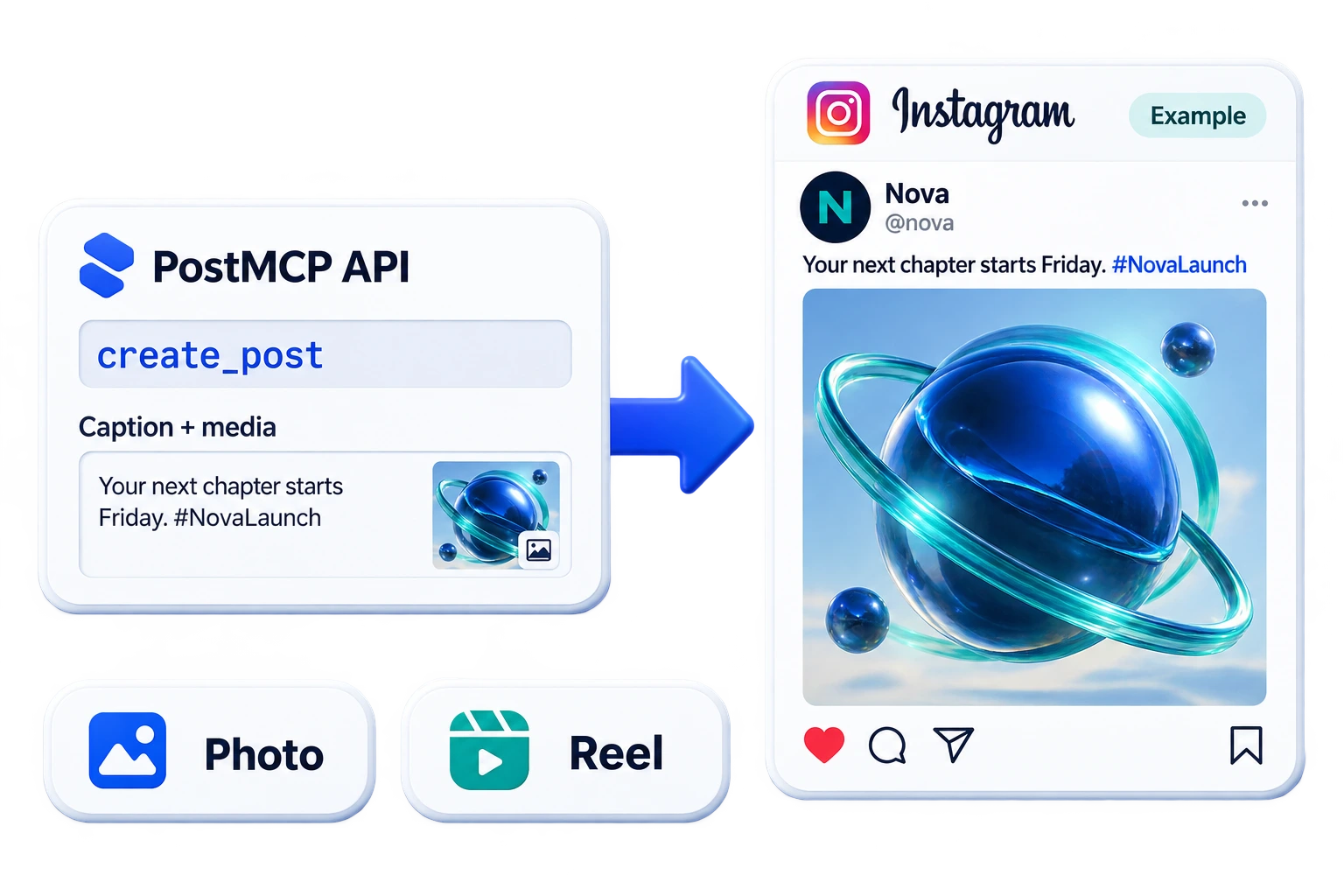
What the Instagram API gives you
The Instagram content publishing API never publishes in one call. You create a media container, then poll it until status_code reads FINISHED, then publish the container by ID. Get the polling wrong and you either publish an unprocessed asset or hang forever on a video that already failed.
PostMCP runs that loop for you against graph.instagram.com/v26.0 using Instagram Login, so a business or creator account connects directly without a Facebook Page in the middle. Videos and Reels are detected from the file extension and submitted as REELS; everything else goes up as an image.
Photo posts
A public image_url plus your caption becomes a native feed post.
Reels
URLs ending in .mp4 or .mov are detected automatically and submitted with media_type: REELS.
Managed container polling
The engine polls status_code every 3 seconds for up to 60 seconds and raises the real Instagram error message on failure.
Direct Instagram Login
Business and creator accounts connect through instagram.com/oauth/authorize — no Facebook Page linkage required.
Scheduled publication
Queue posts by date and time; the container flow runs at the scheduled slot.
Cross-posting
Publish the same asset to Facebook, Threads and the rest from one request.
Common uses
- Publish a Reel the moment a video render finishes in your pipeline.
- Push new product photography from your PIM to Instagram with generated captions.
- Let an agent write captions and hashtags, then queue them for review.
- Cross-post an Instagram asset to Facebook and Threads in the same request.
Post to Instagram in three steps
Connect the account once, grab an API key, then send a single request. The same body works from a shell, a server, or an AI agent.
- 1
Connect your Instagram account
Open the dashboard, choose Instagram and complete the hosted connect flow. Credentials are encrypted into the user vault and never returned to your client.
- 2
Create an API key
Generate a key from the dashboard. Send it as
x-api-key, as anAuthorization: Bearerheader, or as anapikeyquery parameter on the MCP transport. - 3
Send your first post
POST to
/api/tools/create_postwithplatforms: ["instagram"]. SetpublishImmediatelyto broadcast now, or supplyscheduleDateandscheduleTimeto queue it.
curl -X POST "https://api.postmcpai.com/api/tools/create_post" \
  -H "Content-Type: application/json" \
  -H "x-api-key: $POSTMCPAI_API_KEY" \
-d '{"content":"Shipping something new today. Built with PostMCP AI.","platforms":["instagram"],"publishImmediately":true}'{
"success": true,
"message": "Post created and queued successfully",
"post": {
"id": "66a50c89e4b019a2b72f",
"content": "Shipping something new today. Built with PostMCP AI.",
"platforms": [
"instagram"
],
"status": "published"
}
}Instagram API endpoints
Every endpoint is a POST against the base URL https://api.postmcpai.com. The same seven operations cover all connected networks — set the platform value to "instagram" to target Instagram.
| Operation | Endpoint | What it does |
|---|---|---|
| preflight_post | POST/api/tools/preflight_post | Dry-run copy against limits, targets and credits before publishing. |
| create_post | POST/api/tools/create_post | Schedule a post or broadcast it immediately. |
| publish_post_now | POST/api/tools/publish_post_now | Force a queued post out ahead of its slot, or retry the profiles that failed. |
| list_posts | POST/api/tools/list_posts | Read the queue — scheduled, published, draft and failed — with counts. |
| get_post | POST/api/tools/get_post | Read one post, with per-profile delivery state and live URLs. |
| get_post_analytics | POST/api/tools/get_post_analytics | Read how a post did: views, likes, comments and shares per profile. |
| get_profile_analytics | POST/api/tools/get_profile_analytics | Read a profile’s followers, post count and views from its network. |
| update_post | POST/api/tools/update_post | Edit copy, targets, schedule or status before publication. |
| reschedule_post | POST/api/tools/reschedule_post | Move a post to another slot, keeping its copy and targets. |
| reset_stuck_post | POST/api/tools/reset_stuck_post | Release a post left stuck mid-publish so it can be retried. |
| delete_post | POST/api/tools/delete_post | Remove a scheduled or draft post from the queue. |
| get_connected_accounts | POST/api/tools/get_connected_accounts | List connected profiles, handles and page IDs per platform. |
| get_account_health | POST/api/tools/get_account_health | Find connections whose token expired or is about to. |
| generate_image | POST/api/tools/generate_image | Generate a post image and get back a hosted URL for mediaUrl. |
| list_workspaces | POST/api/tools/list_workspaces | List the workspaces on this key, with the id to scope other calls to. |
| get_user_info | POST/api/tools/get_user_info | Read plan tier and credit balance. |
create_post parameters
| Field | Type | Required | Description |
|---|---|---|---|
| content | string | Yes | Text body of the post. Truncation rules are enforced by the destination network, not by PostMCP. |
| targetAccounts | array[object] | Yes | The profiles that receive the post. Each entry takes platform and profileId (from get_connected_accounts). Only the profiles listed here are posted to. |
| platforms | array[string] | Optional | Shorthand for whole networks — linkedin, twitter, facebook, instagram, threads, bluesky, youtube. Each one expands to every connected profile on it, so prefer targetAccounts unless you mean that fan-out. Optional when targetAccounts is given. |
| publishImmediately | boolean | Optional | When true the post is broadcast on receipt. Defaults to false, which queues it. |
| scheduleDate | string | Optional | Publication date as YYYY-MM-DD. Required when publishImmediately is false. |
| scheduleTime | string | Optional | Publication time as HH:MM on a 24-hour clock. Required when publishImmediately is false. |
| timezone | string | Optional | IANA zone the schedule above is written in, e.g. Asia/Kolkata. Omit it and the wall-clock slot resolves as UTC, which is rarely what "10am" meant. |
| mediaUrl | string | Optional | Publicly reachable image or video URL. PostMCP fetches it and re-uploads it in the format the network expects. Required, and must be a video, when the post targets YouTube. |
| workspaceId | string | Optional | Workspace to post from, taken from list_workspaces. Omitted, the call resolves to the default workspace on the key. |
Instagram OAuth and API keys
Two layers of auth sit under every request: the Instagram credential you grant once during connect, and the PostMCP API key your code sends on each call.
Open the connect URL
Send the user to /connect/instagram. PostMCP builds an instagram.com/oauth/authorize URL with enable_fb_login=0 and force_authentication=1.
Instagram consent screen
The user approves basic profile access and content publishing on their business or creator account.
Token exchange
The callback code becomes an Instagram access token tied to the Instagram user ID used in every publish call.
Encrypted storage
Tokens are encrypted into the user vault and never exposed to your client.
Scopes requested from Instagram
| Scope | Why it is needed |
|---|---|
| instagram_business_basic | Reads the connected business account profile and its Instagram user ID. |
| instagram_business_content_publish | Creates media containers and publishes them to the feed. |
Sending your API key
x-api-key: pmcp_sec_…Authorization: Bearer pmcp_sec_…/mcp?apikey=pmcp_sec_…How PostMCP publishes to Instagram
One request from you becomes this sequence server-side. Knowing the shape helps when you are debugging a failed broadcast.
- 1
Classify the media
A
.mp4or.movextension setsmedia_type: REELSwithvideo_url; anything else usesimage_url. - 2
Create the container
The caption and media URL are POSTed to
/{ig-user-id}/media, returning a creation ID. - 3
Poll to FINISHED
Every 3 seconds, up to 20 attempts, the engine reads
status_code. AnERRORstatus raises Instagram's own error message immediately. - 4
Publish the container
The creation ID is posted to
/media_publishto push it live. - 5
Time out safely
If 60 seconds elapse without FINISHED the post is marked failed rather than left in limbo.
Upstream Instagram calls
| Method | Endpoint | Purpose |
|---|---|---|
| POST | https://graph.instagram.com/v26.0/{ig-user-id}/media | Creates the media container from `image_url` or `video_url` plus a caption. |
| GET | https://graph.instagram.com/v26.0/{creation-id}?fields=status_code,status | Polls the container until processing reports FINISHED or ERROR. |
| POST | https://graph.instagram.com/v26.0/{ig-user-id}/media_publish | Publishes the finished container by `creation_id`. |
Direct Instagram API vs PostMCP
| Aspect | Calling Instagram directly | With PostMCP |
|---|---|---|
| Publishing flow | Create container, poll, publish — three phases you orchestrate | One call, orchestration server-side |
| Polling logic | Custom retry loop and error parsing | Bounded 60s poll with real error surfacing |
| Reels detection | Set media_type yourself per asset | Inferred from the media URL |
| Carousels | One container per slide, poll each, then a CAROUSEL container listing them | One `mediaUrls` array of 2–10 URLs |
| Account linkage | Facebook Page linkage in most setups | Direct Instagram Login |
| Scheduling | Build your own queue | Built in and editable |
Instagram limits and supported media
These ceilings are set by Instagram, not by PostMCP. Your content field is forwarded unchanged, so the network enforces them rather than silently truncating.
Common Instagram API errors
Failures are recorded per platform on the post record, so a multi-network broadcast that partially succeeds tells you exactly which leg failed and why.
| Code | Message | Likely cause | Fix |
|---|---|---|---|
| 400 | Instagram Media Container creation failed | The media URL is unreachable, or the aspect ratio and format fall outside Instagram's bounds. | Serve a public JPEG within Instagram's supported aspect-ratio range. |
| ERROR | Instagram Media processing failed | The container reported an ERROR status during processing, usually a bad video encode. | Re-encode as H.264 MP4 with AAC audio and retry. |
| TIMEOUT | Instagram Media processing timed out | Processing did not reach FINISHED within 60 seconds. | Use a smaller or shorter asset; large videos can exceed the window. |
| 190 | Access token for instagram is missing or invalid | The token expired or the account switched away from a business type. | Confirm the account is business or creator and reconnect. |
Post to Instagram from an AI agent
The same seven operations are exposed as MCP tools. Point Claude Desktop, Cursor, or any MCP client at the server and your agent can publish to Instagram directly.
{
  "mcpServers": {
    "postmcpai": {
      "command": "npx",
      "args": ["-y", "@postmcpai/server"],
      "env": {
        "POSTMCPAI_API_KEY": "pmcp_sec_YOUR_SECRET_KEY",
        "POSTMCPAI_API_URL": "https://api.postmcpai.com"
      }
    }
  }
}
Prompt the agent directly
With the server connected, natural language is enough — the agent picks the tool and fills the arguments:
“Draft a Instagram post about today’s release and schedule it for 9:30am tomorrow.”
Instagram API questions
How do I post to Instagram using the API?
POST to https://api.postmcpai.com/api/tools/create_post with platforms: ["instagram"], a content caption and a public mediaUrl. PostMCP creates the media container on graph.instagram.com, polls it to FINISHED and publishes it.
Why does Instagram publishing need two API calls?
Instagram processes media asynchronously. The first call creates a container and returns a creation ID; the asset is transcoded in the background; only once status_code reads FINISHED can the container be published. PostMCP runs the poll loop so you see one synchronous result.
Can I post a Reel through the Instagram API?
Yes. A mediaUrl ending in .mp4 or .mov is submitted with media_type: REELS. Video containers get the full 60-second processing window before publishing.
Can I post text-only content to Instagram?
No. Instagram has no text-only feed post, so mediaUrl is effectively required. A request without media falls back to a placeholder image rather than failing outright.
Can I post an Instagram carousel through the API?
Yes. Pass mediaUrls, an ordered array of 2–10 public image or video URLs, instead of mediaUrl. PostMCP creates one item container per slide with is_carousel_item: true, polls each to FINISHED, creates the CAROUSEL container that lists them, polls that, and publishes it. Images and video can be mixed. Eleven slides are refused at creation, before any credits are spent, and preflight_post says the same without writing anything.
Do I need a business or creator account?
Yes. instagram_business_basic and instagram_business_content_publish are only granted to business and creator accounts. Personal accounts cannot publish through the API.
What is the Instagram caption character limit?
2,200 characters and a maximum of 30 hashtags per post. Your content becomes the caption verbatim.
Other social media APIs
One authenticated POST publishes to a LinkedIn profile or company page. PostMCP owns the OAuth dance, the image upload handshake and the versioned LinkedIn REST calls underneath.
Read the referenceSend one request and PostMCP handles Twitter API v2 for you — PKCE OAuth, the three-step chunked media upload, refresh tokens and the final tweet call.
Read the referencePublish text and photo posts to every Facebook Page you manage from one endpoint. PostMCP resolves page access tokens and calls Graph API v26.0 for you.
Read the referenceThreads processes every post asynchronously, even plain text. PostMCP creates the container, polls it to FINISHED and publishes — one call from your side.
Read the referenceBluesky is not OAuth — it is a session against an AT Protocol server. PostMCP refreshes that session, uploads image blobs and writes the feed record for you.
Read the referenceYouTube is the one network here that will not take a URL. It wants the video bytes over a resumable session — PostMCP fetches, uploads and publishes them for you.
Read the referenceStart posting to Instagram today
Connect the account, take an API key and send your first request in under five minutes — from a shell, your backend, or an AI agent.